
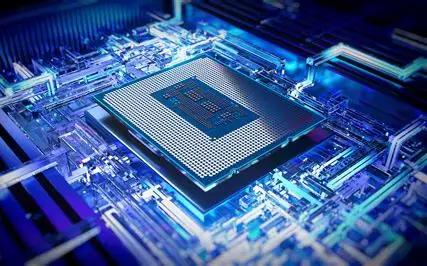
How It’s Made: CPU, Microchips, and Laptops.
This guide explains, in simple terms, how CPUs, microchips, and laptops are created—from raw materials to finished products.
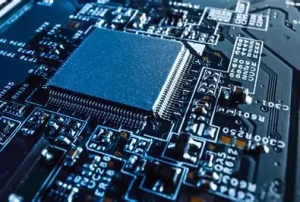
CPU (Central Processing Unit)
The CPU is the part of a computer that carries out instructions. It handles calculations and logic, often called the “brain” of a computer.
1. From Sand to Silicon
Silicon is extracted from sand. It’s purified into a single crystal called an ingot.

A visual of sand turning into a silicon ingot (large shiny cylinder)
2. Slicing and Preparing the Wafer
The silicon ingot is sliced into thin, flat wafers, which are polished until perfectly smooth.
3. Building the Circuitry
Each wafer is coated with a light-sensitive material. Using a process called photolithography, light and chemicals print tiny circuit patterns onto the wafer. Layers of materials are added and removed to create billions of microscopic transistors.
4. Testing and Cutting
Once the circuits are built, the wafer is tested. Each working chip (called a die) is cut out.
5. Packaging the Chip
Each die is placed into a protective casing with electrical contacts. This is the final CPU, ready to go on a motherboard.
Microchips (Integrated Circuits)
Microchips are small electronic circuits used in all kinds of devices, from smartphones to cars. CPUs are a type of microchip, but many others exist too.
-
Made using the same process as CPUs (photolithography, layering, testing).
-
Simpler microchips may have fewer layers and transistors.
-
Some chips store data (like RAM), others process images (like GPUs), or manage wireless connections.
Cross-section of a simple microchip with labeled layers
(Label: Layers of a Microchip)
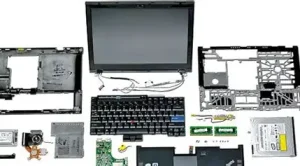
Laptops are portable computers made by assembling many different components into a compact shell.
1. Designing the Laptop
Engineers plan how all the parts will fit together: the motherboard, keyboard, screen, battery, and cooling system.
2. Making the Parts
-
Motherboard: A green circuit board with slots for the CPU, memory, and ports.
-
Display: A thin LED or LCD screen.
-
Battery: Lithium-ion cells packed together.
-
Chassis: The outer shell, often made of plastic or aluminum.
3. Assembling the Device
Parts are added step-by-step:
-
The CPU and memory are soldered to the motherboard.
-
The screen, battery, and keyboard are connected with cables.
-
The casing is closed and screwed together.
4. Testing and Quality Control
Each laptop is powered on and tested to make sure the screen, keyboard, battery, and ports work properly.
5. Packaging
After final inspection, laptops are boxed with accessories like chargers and manuals, then shipped to stores or customers.
Summary
| Part | Material Used | Key Steps |
|---|---|---|
| CPU | Silicon, metals | Wafer slicing, photolithography, packaging |
| Microchip | Silicon, metals | Similar to CPU, varies in complexity |
| Laptop | Plastic, metal, electronics | Component assembly, integration, testing |
“The Making of a Computer: Step by Step from Materials to Machine”
“How a Laptop Is Built: Inside the Journey from Silicon to System”
“From Silicon to System: How Modern Computers Are Manufactured”




















courageeeeeeeeeeeeee
Very very nice I like it
nice
Good my teacher
Its a good
Good
Hi guys I like how you act.Always up up
you are always up
cyaze bro
I like it bro