

How do I know if my phone calls are being recorded? Simple signs, how to check, and how to protect your privacy.
How Do I Know If My Phone Calls Are Being Recorded?
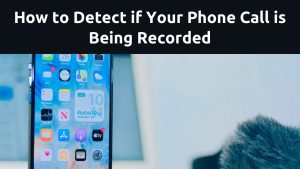
Sometimes we talk on the phone about private things. Maybe it’s family, work, or something personal. So when your phone starts acting strange, you may wonder, “How do I know if my phone calls are being recorded?”
This question is more common today because phones hold so much of our life. The good news is that there are simple signs that can help you know if something is wrong. Let’s talk about them in a clear, friendly way.
What Does It Mean When Someone Records Your Call?
When your call is recorded, someone is saving your voice and your conversation. This can be for a good reason or a bad one, but you still deserve to know. Understanding how do I know if my phone calls are being recorded is important because your privacy matters.
Simple Signs Your Phone Calls Might Be Recorded
- Weird Noises During Calls
If you hear clicking, buzzing, or echo sounds while you talk, something might not be normal. Phones usually have clear sound. So, strange noises can sometimes be a sign that the call is being tapped or recorded.
- Your Battery Runs Out Faster
If your battery drains faster than usual for no clear reason, your phone might be running hidden apps in the background. Recording or spying apps can use a lot of power.
- Your Phone Feels Hot Even When You’re Not Using It
A hot phone can mean something is working in the background. If it happens too often, check your phone.
- Your Data Finishes Quickly
If your data disappears very fast, even when you are not watching videos or downloading files, it may be a sign. Some spying apps send information using your data.
- You See Apps You Didn’t Install
If you find strange apps on your phone, especially ones you don’t remember installing, remove them. This is one of the biggest red flags when people ask how do I know if my phone calls are being recorded.
How to Check If Your Phone Calls Are Really Being Recorded
Look for Recording Alerts
Some phones show a red dot or a message saying “Recording” during the call. This is the obvious sign.
Check App Permissions
Go to Settings and see which apps are allowed to use your microphone. If you see an app you don’t trust using the microphone, remove it.
Use a Security App
There are trusted apps that can scan your phone and tell you if there is spyware or hidden recording software.
How to Stop Someone From Recording Your Calls
- Update Your Phone
Updates help keep your phone safe. Many people ignore them, but they fix important security problems.
H3: 2. Change Your Passwords
If someone knows your phone password, they can put anything inside your phone. Use strong passwords and don’t share them.
- Remove Any Strange Apps
If an app looks suspicious, delete it. Only download apps from trusted stores like Google Play or the Apple App Store.
- Reset Your Phone
If you still feel unsafe, you can do a factory reset. This will remove everything, including hidden apps. Just remember to back up your important files first.
Final Thoughts
Your privacy is important. If you ever ask yourself, “How do I know if my phone calls are being recorded?”, remember these simple signs. Strange noises, fast battery drain, high data use, or unknown apps are things you should never ignore.
Staying alert helps you stay safe. Your phone belongs to you—so make sure your conversations do too.
3 True External Reference Links
These trusted sources offer real information about phone security:
- Android Security Guide – https://support.google.com/android/answer/2819582
- Apple iPhone Privacy – https://support.apple.com/en-us/HT203033
- FCC Consumer Phone Safety – https://www.fcc.gov/consumers




















https://shorturl.fm/ivwgU
https://shorturl.fm/mSkAl
https://shorturl.fm/s3aQR
https://shorturl.fm/u14Ph